Solving Y-Sorting
The Problem With Y-Sorting
I’ve tried to make a game using Isometric pixel art a number of times in the past, and failed each time, mostly due to my annoyance with y-sorting. Each time I would begin and immediately want shadows, layering, along with automatic ordering. This is simply not feasible in most game engines at a basic level, and for good reason.
First though, lets take a look at a good example of y-sorting.
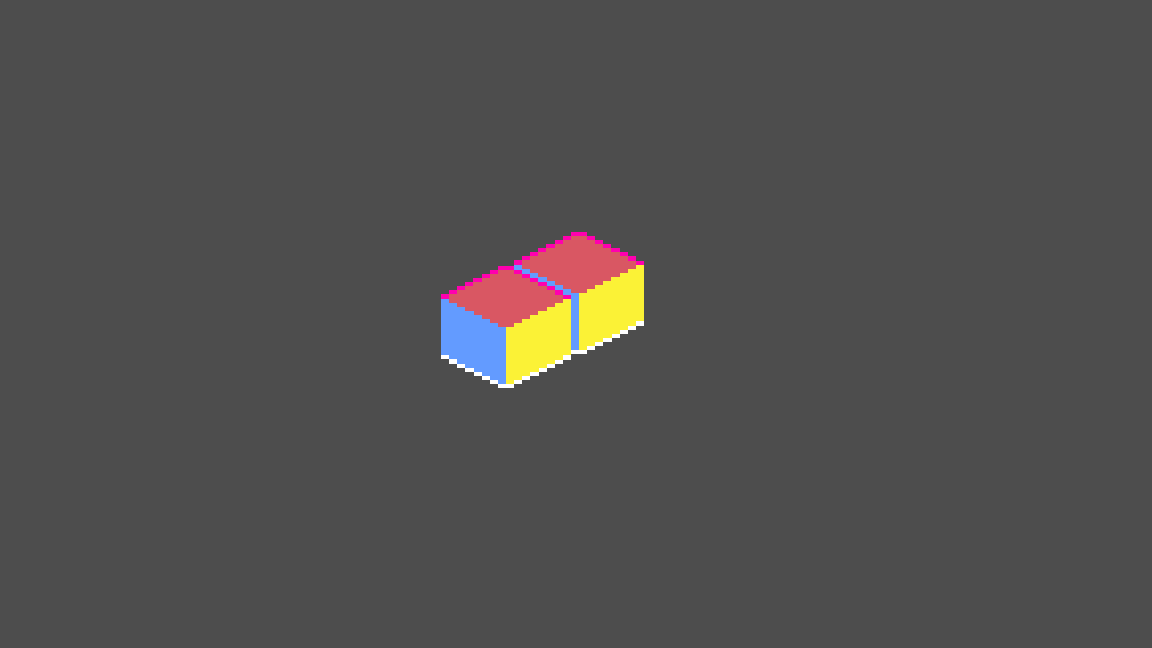
It’s pretty clear how the boxes should be displayed, right? It would look very strange if the box on the right was displayed in front of the one on the left (at least without context to place it, for example, set on top and in front of the left box). This is the fundamental principle of y-sorting: the image with origin closer to the bottom of the screen should be displayed on top, all other things being equal. This works most of the time, and is in fact so good that there are many games where you don’t even notice its happening. I am in the minority when I say that the failures of y-sorting really, really bother me whenever I’ve used it. To see what I mean, take a look at the following picture:
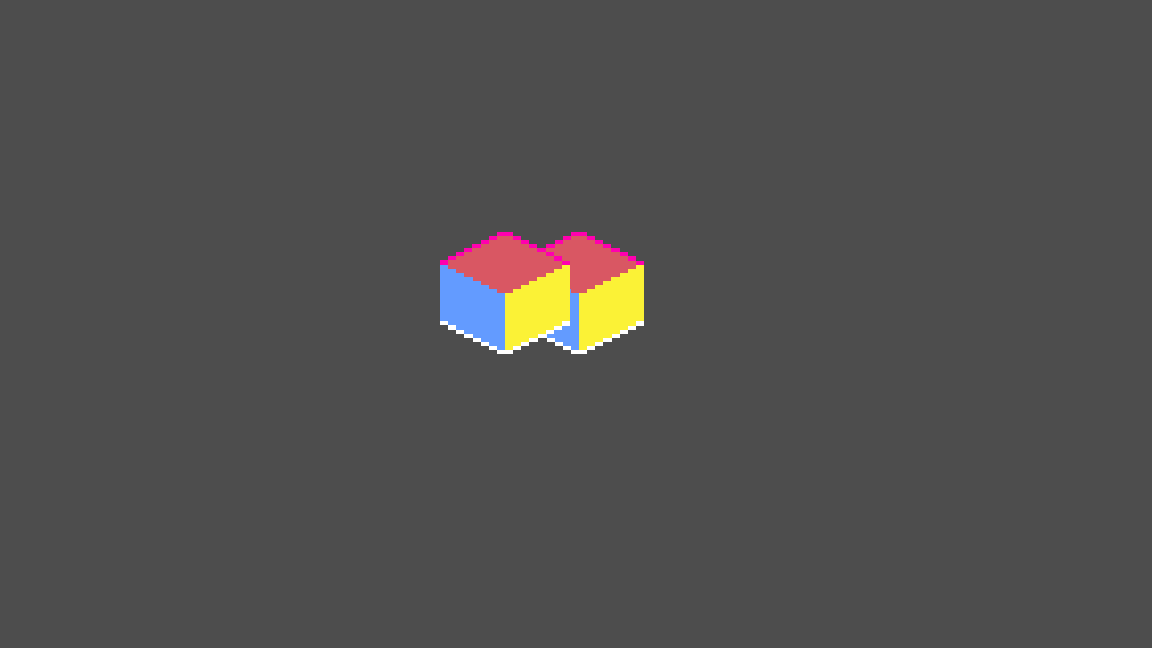
It’s clear that the box to the left is in front. It’s closer to the camera, above and in front of the right box. By itself this seems fine, and is a perfectly legitimate scene. What about this?
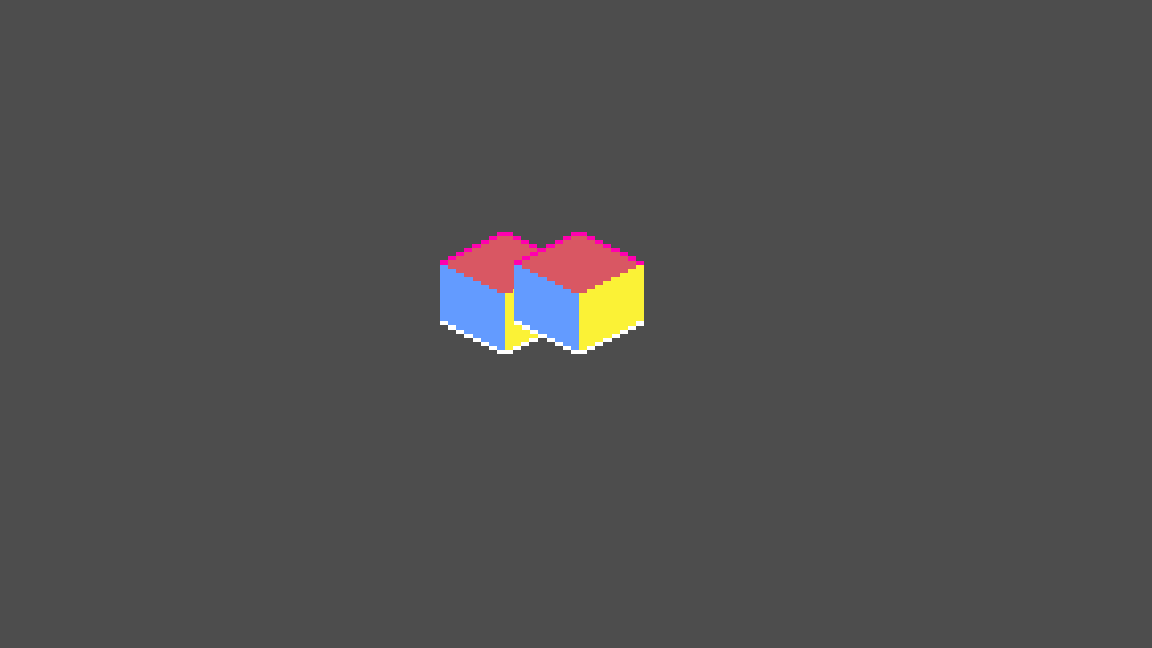
Again, a perfectly legitimate scene, this time with the right box above and in front. But what happens if the two boxes are at the same distance from the camera, meaning they have the same y-value? This is where y-sorting breaks down. Instead of cleanly distinguishing them, either the designer or the engine must make an arbitrary decision about which must be displayed on top. Clearly, this is an extreme case, but once you know what to look for, it becomes surprisingly easy to see examples where a realistic sprite looks out of place in the layer order.
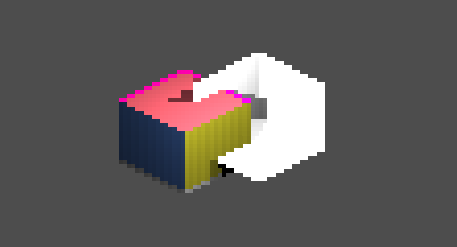
Ideally what you want to happen is some decision on a per-pixel basis, resulting in something like this:
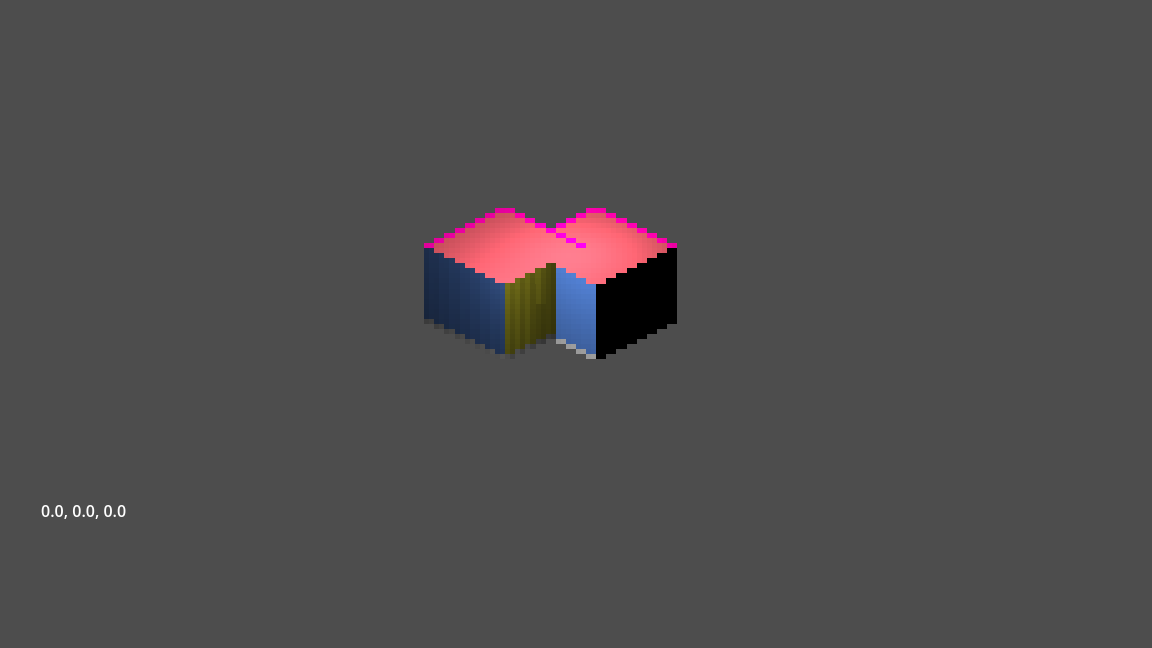
But didn’t I say that this isn’t feasible? Well, I managed to make it work, but not without difficulty. In fact, creating just this simple scene required essentially writing my own mini pixel rendering engine.
The Solution
The engine takes the form of a Godot plugin, which adds a number of basic functions, roughly equivalent to basic meshes and lights. It’s definitely more work to set up than normal pixel art, but not too much, especially if you were already planning on using lighting. Each sprite requires three different images to get working. First is the diffuse map, which acts as the color for the sprite. Next is the height map, or layer map. This defines which pixel is at each y value. The engine itself does a per-pixel position calculation, so this is the most important piece of new information compared to the normal system. Finally, there’s a standard normal map, as seen from the isometric camera, which is converted to in-world normals by the engine.
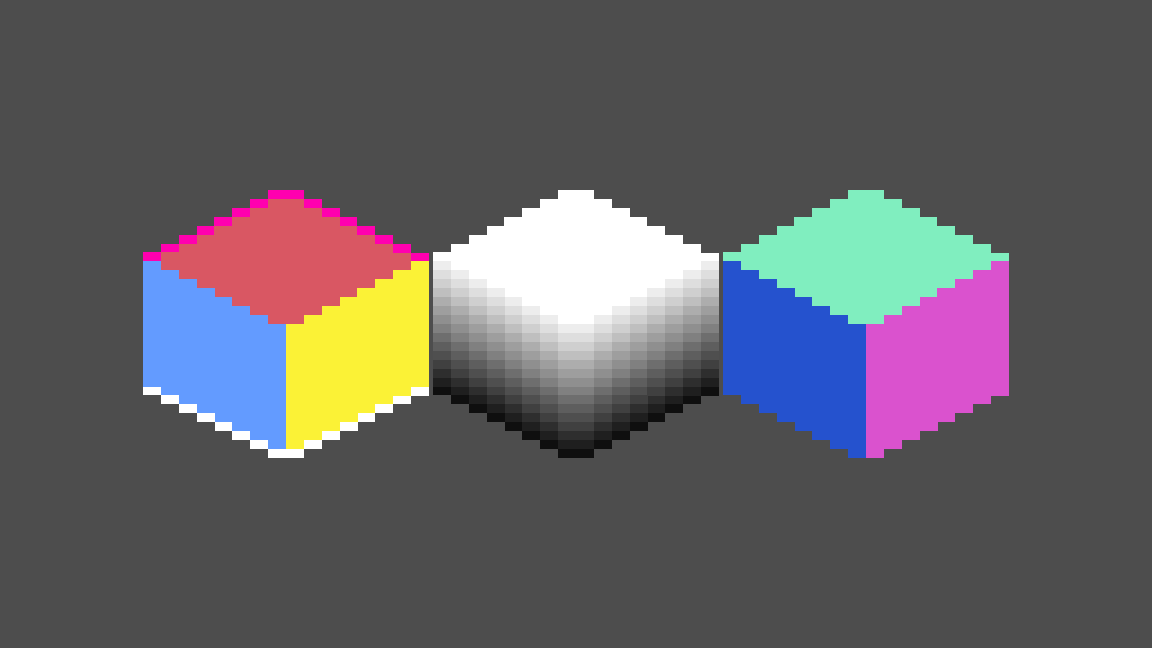
Surprisingly, this, an origin position in 3D space, and a whole pile of math is all that’s needed to put everything into 3d space.
The Process
Getting all the math to work right was an endeavor by itself. Pretty much everything involved in a normal 3d rendering engine still has to be implemented. Pixels are implemented as boxes, with some special edge conditions to account for strange light pathing. One of the big complications comes from the perspective difference; every pixel in 3D space is 1 pixel wide in the x and z axis, but 2 pixels wide in the y direction. Overall, this has resulted in a few strange shadow artifacts, simply due to the step-like calculations involved. I’m still brainstorming a solution to make this smoother (perhaps some different calculation with normals influencing position?) but any big changes are going to be slow in coming.
Despite the math issues, the biggest problem I ran into was the sheer speed of calculation needed. Originally, I implemented the whole thing as custom nodes that did all the calculations per frame, and output a texture. Needless to say, this was a bad idea and resulted in around .5 fps. Not 5 fps. It was .5 fps. For 2 sprites and a light.
I’m still not sure where the most time was spent, but it was clear that cpu calculation was simply not feasible for anything larger than 1 or two sprites. Luckily, this is the exact thing a GPU is useful for! I found a pretty useful repo here that wraps up most of the tricky setting/getting into GPU registers. I’ve made a number of updates to the base functionality, and might send a pull to the original at some point, but the updated version is included in my plugin for the moment. Once I found and fixed that up, the compute shader wasn’t too bad to get working. I needed a few hours of debugging at each step, just because godot shaders are extremely annoying to debug, but the process was never walled behind a big issue.
And that’s where it stands! There’s still a lot of work to do, but the whole thing is almost at a usable level.
Moving Forward
The main thing I want to do is make this public. I have a Git repo of my work up until now, but I don’t consider the basic functionality to be complete. There are a few big things missing as it stands now, and I’ll probably finish all of these before making it available.
First is a lack of ambient lighting options, which are necessary to use the engine without shadows This should actually be pretty simple, I just need to add the extra options and shader variable, and it should be good to go.
Second is the fact that the engine is only set up to use sprites that are 32x32 pixels. This is more difficult to solve, but as I’m planning it now, mostly boils down to slicing up other sizes of sprite into 32x32 versions.
Third is a simple way to make actual levels, as simply placing objects blindly isn’t a good option. Tied in with this is the fact that Godot can’t render the scenes natively, but that’s a much bigger issue than I’m equipped to solve at the moment. This is the next thing I’m working on, and am already pretty close to finishing a basic editor.
Fourth, animation options. These are nonexistent right now, short of hiding and showing sprites in succession manually. To be honest, that’s exactly what the final solution is likely to be, but it’s always nice to have a level of abstraction there.
Finally, collision and navigation calculations. In my eyes, this is probably the biggest issue, and the one I’m the least confident in solving. Hopefully solving the other big problems will give me enough time to sort out what I want to implement, but who knows.
Once these are sorted out, I’ll definitely release the files as a standalone plugin, and probably make a complete tutorial. I’ll also probably be putting together a small project with it, just to see if the usage is good and I haven’t missed any obvious bugs or gaps in functionality. After that though, I’m hoping this can fill a pretty big hole in the Godot system!